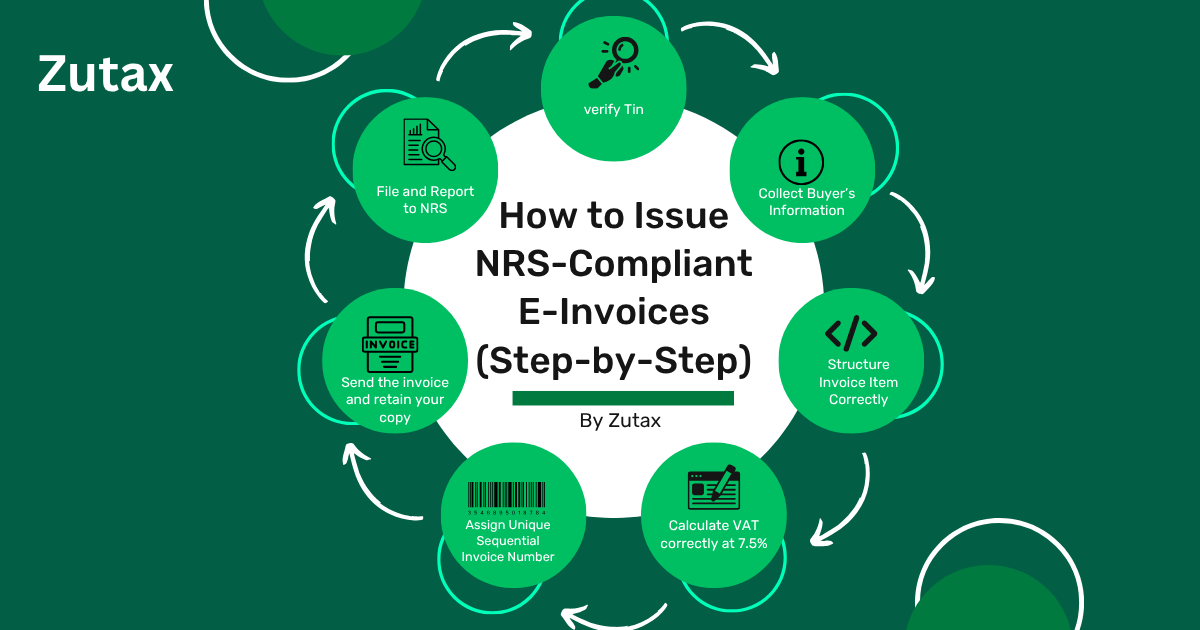
How to Issue NRS-Compliant E-Invoices (Step-by-Step)
Learn exactly how to issue NRS-compliant e-invoices in Nigeria step by step. Avoid penalties, stay audit-ready, and simplify your tax compliance with Zutax.
If you’ve ever stared at an invoice and wondered, “Is this actually NRS-compliant?” you’re not alone.
Thousands of Nigerian businesses are issuing invoices every day without knowing whether they meet the Nigeria Revenue Service (NRS) requirements. And the consequences of getting it wrong? Penalties, audit flags, and rejected VAT claims.
The good news: issuing a fully NRS-compliant e-invoice isn’t complicated if you know exactly what to include and how to submit it.
This guide walks you through everything, step by step.
What Is an NRS-Compliant E-Invoice?
An NRS-compliant e-invoice is a structured digital invoice that meets the technical and legal requirements set by the Nigeria Revenue Service for electronic invoicing.
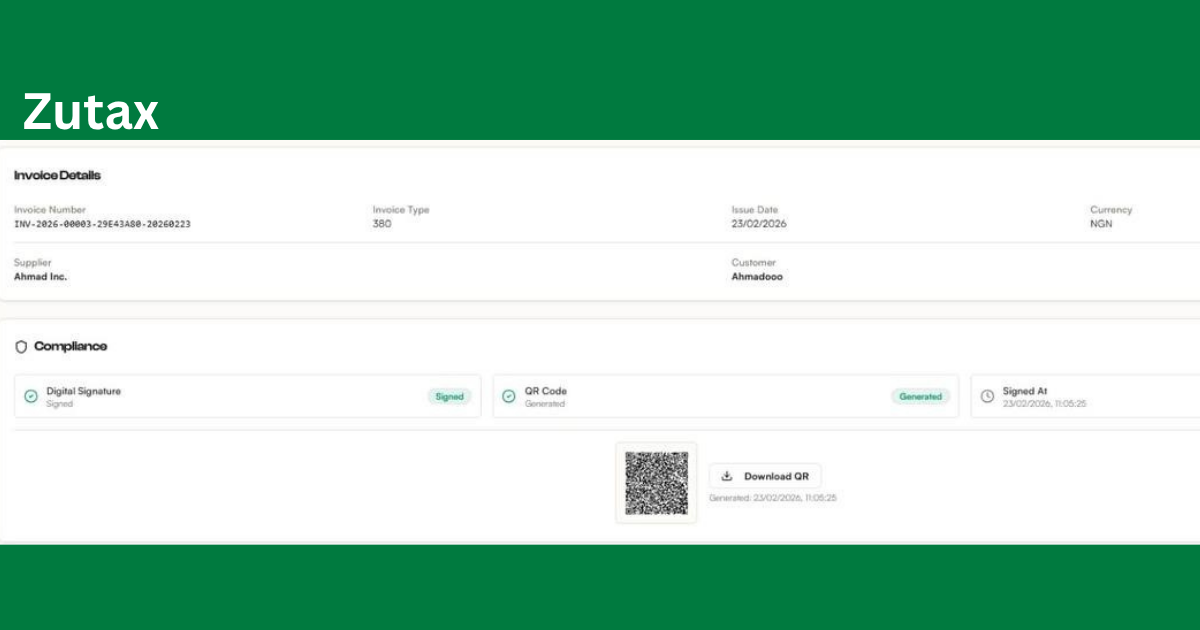
Unlike a regular PDF invoice or Word document sent by email, an NRS-compliant e-invoice:
- Is generated in a machine-readable format, typically XML or a validated digital format
- Contains mandatory fields defined by the NRS
- Is traceable and verifiable by tax authorities
- Supports real-time or near-real-time reporting
Nigeria’s push toward e-invoicing is part of a broader effort to close the tax gap, reduce VAT fraud, and improve transparency in business transactions. For businesses, compliance isn’t optional. It’s the law.
Why NRS E-Invoice Compliance Matters
Before we get into the how, let’s talk about the why.
Non-compliant invoices can:
- Be rejected during tax audits
- Invalidate your VAT input credit claims
- Trigger penalties from the NRS
- Create accounting mismatches that delay payment from large clients or government entities
Compliant invoices help you:
- Claim VAT credits without dispute
- Pass audits smoothly
- Build trust with enterprise clients and government contractors
- Automate your tax filing process
The bottom line: compliance protects your revenue and your reputation.
NRS E-Invoice Requirements: What Must Be Included
Before you issue a single invoice, you need to know what mandatory fields the NRS requires. Missing even one can render your invoice non-compliant.
Here’s a complete breakdown:
| Field | Description |
|---|---|
| Invoice Number | Unique sequential identifier |
| Invoice Date | Date of issue in DD/MM/YYYY format |
| Seller’s Name | Registered business name |
| Seller’s TIN | Tax Identification Number |
| Seller’s Address | Registered business address |
| Buyer’s Name | Full legal name of the buyer |
| Buyer’s TIN | Required for B2B transactions |
| Buyer’s Address | Buyer’s registered or delivery address |
| Description of Goods/Services | Clear, itemized description |
| Quantity | Number of units or measure |
| Unit Price | Price per unit, excluding VAT |
| Taxable Amount | Total before VAT |
| VAT Rate | Standard 7.5% or applicable rate |
| VAT Amount | Calculated VAT payable |
| Total Amount Payable | Gross total including VAT |
| Currency | NGN or applicable foreign currency |
| Payment Terms | Due date and payment instructions |
Pro tip: If you’re issuing an invoice to a non-VAT-registered buyer, some fields, like the buyer’s TIN, may be optional. But it’s always safer to include them for audit purposes.
Step-by-Step: How to Issue an NRS-Compliant E-Invoice
Let’s get practical. Here’s exactly how to issue a compliant e-invoice from start to finish.
Step 1: Verify Your TIN and VAT Registration
Before you can issue any NRS-compliant invoice, your business must:
- Have a valid Tax Identification Number (TIN) from the NRS
- Be registered for VAT, which is mandatory if annual turnover exceeds NGN 25 million
- Have your TIN and VAT number readily accessible
If you’re not yet VAT-registered, visit the NRS portal and complete your VAT registration first — see our full registration guide for the complete process, including your NRS Business ID and APP connection.
How to verify your TIN:
- Visit the NRS TIN verification portal
- Enter your CAC registration number or BVN
- Confirm your TIN details match your business records
Don’t proceed until this is confirmed. An invoice with an incorrect or unverified TIN is automatically non-compliant — see our TIN verification guide for all three verification methods.
Step 2: Collect Your Buyer’s Information
For B2B transactions, you need the buyer’s:
- Full legal registered name
- Tax Identification Number (TIN)
- Registered address
For B2C transactions, where you are selling to individuals, you don’t always need the buyer’s TIN. But you still need their name and address for invoices above the applicable threshold.
A common mistake: businesses copy and paste client details without verifying them. Always confirm your client’s TIN before finalizing an invoice. A wrong TIN creates compliance issues on both sides.
Step 3: Structure Your Invoice Line Items Correctly
Each item or service on your invoice must be broken down clearly.
For each line item, include:
- Description, such as “Consulting Services: Q3 Financial Audit” instead of just “Services”
- Quantity
- Unit of measure, such as hours, units, or kg
- Unit price, excluding VAT
- Subtotal per line item
Avoid these common mistakes:
- Bundling multiple services into one line item without description
- Listing prices inclusive of VAT without showing the breakdown
- Using abbreviations that aren’t self-explanatory
Step 4: Calculate VAT Correctly
Nigeria’s standard VAT rate is 7.5%, introduced under the Finance Act 2019.
Here’s how to calculate it:
- Taxable Amount = Sum of all line items, excluding VAT
- VAT Amount = Taxable Amount x 7.5%
- Total Payable = Taxable Amount + VAT Amount
Example:
| Item | Amount (NGN) |
|---|---|
| Web Development Services | 500,000 |
| Taxable Amount | 500,000 |
| VAT at 7.5% | 37,500 |
| Total Payable | 537,500 |
Important: Some goods and services are VAT-exempt, such as basic food items, medical supplies, and educational materials. If your business deals in exempt goods, do not charge VAT, but still issue an invoice clearly marked as VAT-exempt. See our full VAT invoice requirements guide for the complete mandatory-field breakdown and a filled example invoice.
Step 5: Assign a Unique Invoice Number
Every invoice you issue must have a unique, sequential invoice number. This is non-negotiable for NRS compliance.
Best practices for invoice numbering:
- Use a consistent format: INV-2026-0001, INV-2026-0002, and so on
- Never reuse or skip numbers
- Store all issued invoice numbers in sequence
- Consider including the year or month for easy reference
If you’re using invoicing software like Zutax, this is handled automatically. Manual numbering is prone to errors that trigger audit flags.
Step 6: Generate the Invoice in a Compliant Format
This is where many businesses fall short. A compliant e-invoice isn’t just a Word doc or PDF — it must be:
- Machine-readable, structured as UBL/XML conforming to the Peppol BIS Billing 3.0 standard
- Accurate and complete with all mandatory fields
- Issued at the right time, ideally at the point of sale or service delivery
A PDF isn’t wrong to send to your buyer for their own records, but it isn’t the compliant payload itself — it’s a rendered view of the underlying structured UBL data that actually gets validated and transmitted. See our full UBL/XML invoice format guide for exactly what that structure requires.
Using invoicing software that is NRS-aware is the safest route. Platforms like Zutax generate the compliant UBL payload automatically, so you don’t have to manually verify every field every time.
Step 7: Send the Invoice to Your Buyer
Once your invoice is complete, send it through a documented channel:
- Email, with the invoice attached as a PDF or accessible via a link
- Accounting platform, where both parties have records
- Physical print for in-person transactions, though digital is preferred
Keep a copy on your end. NRS regulations require businesses to retain invoice records for a minimum of 6 years. You should store:
- The original invoice
- Proof of delivery, such as an email receipt or system log
- Payment confirmation
Step 8: File and Report to NRS
Issuing the invoice is only half the job. You must also report your VAT transactions to the NRS:
- Monthly VAT returns: Submit Form VAT 002 on or before the 21st of every month
- Annual tax returns: Include all invoiced revenue in your CIT return
- Withholding Tax (WHT): If applicable, ensure the correct WHT deductions are captured
If you’re using a compliant invoicing platform, many of these steps can be automated by pulling your invoice data directly into your VAT returns.
Common NRS Invoice Compliance Mistakes to Avoid
Even experienced accountants make these errors. Watch out for:
- Missing or incorrect TIN. Always verify both your TIN and your buyer’s TIN before issuing.
- Rounding VAT incorrectly. Use consistent rounding rules, typically to the nearest kobo, across all invoices.
- Issuing invoices in foreign currency without NGN equivalent. If invoicing in USD or GBP, always include the NGN equivalent at the official exchange rate on the invoice date.
- Not retaining invoice copies. Failure to produce records during an audit is treated as non-compliance, even if you originally issued compliant invoices.
- Using the wrong VAT rate. The standard rate is 7.5%. Don’t use outdated rates.
- Bundling exempt and taxable goods on the same invoice without separating VAT treatment. Each line item must clearly reflect whether it is taxable, zero-rated, or exempt.
How Zutax Makes NRS-Compliant Invoicing Easy
Manually checking every invoice for compliance is time-consuming, and one slip can cost you.
Zutax is built specifically for Nigerian businesses that want to stay tax-compliant without the headache.
Here’s what Zutax does for you:
- Auto-fills mandatory NRS fields so you don’t miss required information
- Validates TINs in real time before you send
- Calculates VAT automatically at the correct rate for each transaction type
- Generates sequential invoice numbers so you’re always audit-ready
- Stores all records for 6+ years, accessible anytime
- Prepares VAT return summaries directly from your invoice data
- Supports multi-currency invoicing with automatic NGN conversion
No tax consultant on speed dial. Just compliant invoices, every time.
Frequently Asked Questions
Is it mandatory to issue e-invoices in Nigeria?
The NRS is progressively mandating electronic invoicing, particularly for large taxpayers. However, all businesses subject to VAT should issue structured invoices that meet NRS requirements, regardless of format.
Can I use Excel or Word to create NRS-compliant invoices?
Technically yes, if you include all mandatory fields. But manual templates are prone to errors and don’t provide the audit trail or validation that software does. The risk of non-compliance is significantly higher.
What happens if I issue a non-compliant invoice?
You may face VAT disallowances, penalties during NRS audits, and rejected payment claims, especially from government entities and large corporations with internal compliance standards.
How long must I keep invoice records?
The NRS requires businesses to retain tax records for a minimum of 6 years.
What if my client refuses to give me their TIN?
For B2B transactions, the buyer’s TIN is required. If a client refuses, you’re advised to note this and still issue the invoice with as much information as possible. Consult a tax professional for how to handle persistent cases.
Final Thoughts
Issuing NRS-compliant e-invoices doesn’t have to be complicated. Once you understand the mandatory fields, the correct VAT calculation, and the reporting requirements, it becomes a straightforward process.
The real challenge is doing it consistently, at scale, without errors. That’s where the right tool makes all the difference.
Stop worrying about whether your invoices are compliant. Let Zutax handle it for you.
Start Your Free Trial with Zutax Today
Join hundreds of Nigerian businesses that issue NRS-compliant invoices in minutes, not hours.
No credit card required. Set up in under 5 minutes.
Ready to simplify your e-invoicing?
Join hundreds of Nigerian businesses using ZUTAX for compliant invoicing.